01
Fully unlocked
Unlimited books, custom photos, PDF sharing, and home printing are included from the start.
School Edition / For classrooms
Students build illustrated books one page at a time. School Edition is the complete creative toolset with no in-app purchases — a one-time purchase per license on iPad, or an annual site license for Android tablets and Chromebooks.
Classroom license
Complete feature set on iPad, Android tablets, and Chromebooks.
What schools receive
School Edition is a separate listing built for managed purchasing and deployment — on the App Store for iPad, and in managed Google Play for Android tablets and Chromebooks.
01
Unlimited books, custom photos, PDF sharing, and home printing are included from the start.
02
Every School Edition license has the same complete feature set.
03
A one-time purchase per license on iPad; an annual site license per school site on Android tablets and Chromebooks.
04
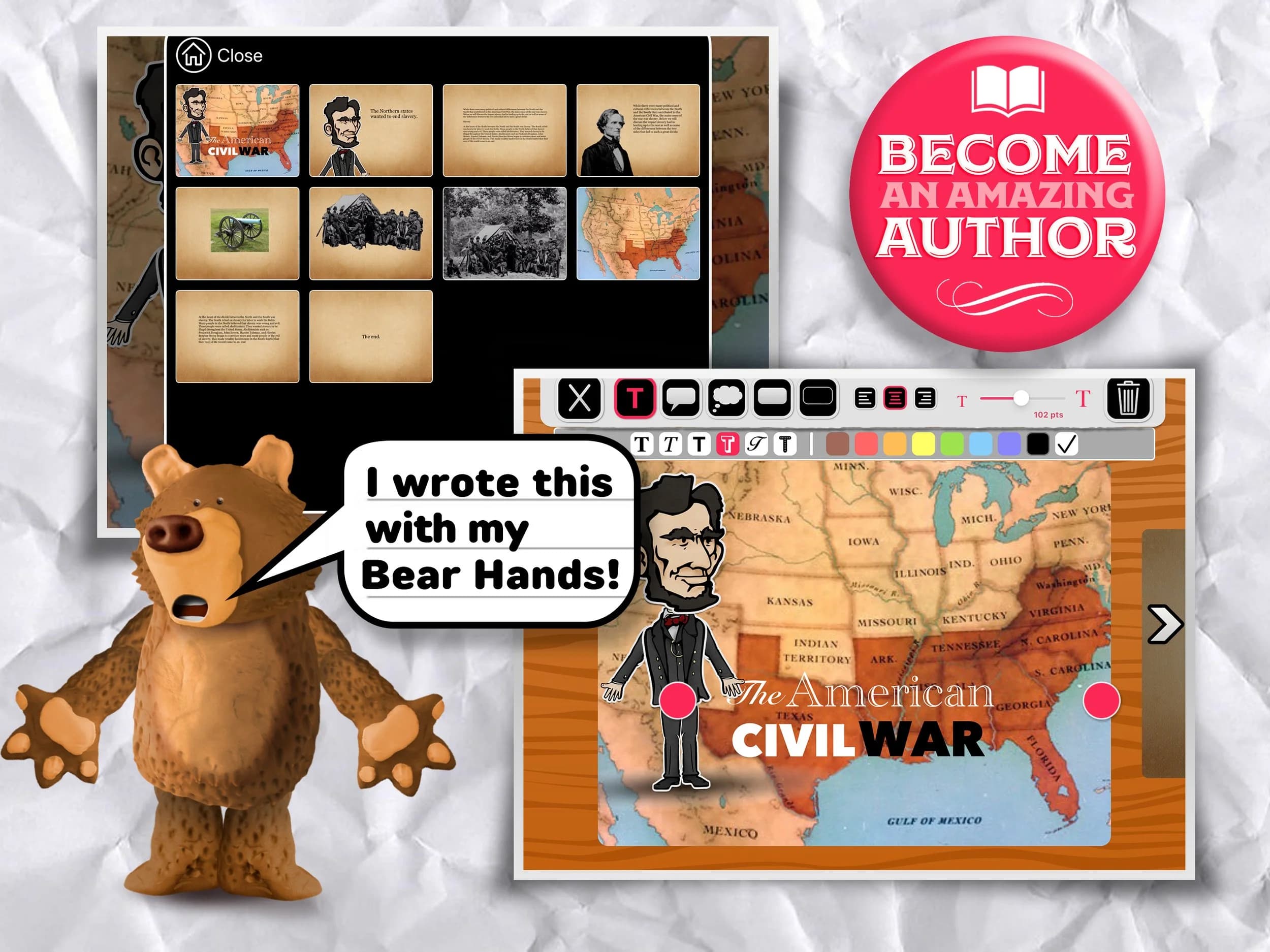
Students compose pages from characters, backgrounds, photos, text, and speech bubbles.
05
Use the same tools for explanations, reports, sequences, vocabulary, and creative writing.
06
Current public builds do not send student work, accounts, analytics, or identifiers to Polished Play.
Two platforms, two paths
The app is the same fully unlocked School Edition on every platform. The licensing works differently on iPad than on Android tablets and Chromebooks.
iPad / Apple School Manager
An IT team purchases licenses through Apple School Manager (or the App Store for a single device) and assigns the app to managed iPads with your MDM. Apple sets the price — check the current offer there.
View on the App StoreAndroid tablets & Chromebooks / Managed Google Play
$150.00 per school site through 30 June, unlimited devices. Order online, and we add your school’s Google organization ID in Google Play within 1 business day. The app then appears in your managed Google Play, ready to assign to devices from the Google Admin console.
License Puppet Pals too? First app $150.00 a site; each extra is half off — two $225.00, all three $300.00.
Order a site license29 printable lesson plans come with it — objectives, teacher steps, and rubrics across nine subjects, free for any teacher to download. Browse the lesson library
Across the curriculum
Once students know how to arrange a scene and add text, they can reuse that workflow for many kinds of work.
Plan a beginning, middle, and end, then revise the sequence by moving whole pages.
Show the steps in a science investigation, procedure, or classroom routine.
Combine concise writing and visual evidence into an illustrated subject-area book.
Build vocabulary, dialogue, and sentence structure around a visual scene.
Before purchasing
The iPad edition also supports iPhone, but a tablet or Chromebook gives students substantially more room to compose a page.
Review Managed Apple Account, iCloud Drive, backup, and Shared iPad settings before deployment.
We are not claiming full accessibility or publishing a VPAT at this time. Test the workflow your students will use.
Deployment desk
The setup guide separates required decisions from optional device-management controls.
Ready for the classroom